Karaoke Lyrics File Formats Guide
Karaoke is fundamentally different from regular subtitles. Standard captions only need to know when a line starts and ends, but karaoke needs to know when each word is sung, so it can highlight syllable by syllable as the music plays. That word-level timestamp is the core requirement that separates a karaoke lyrics file from a plain subtitle file.
Most subtitle formats only store line-level timing. But a handful support the word-level granularity that karaoke demands: LRC, ASS, and WebVTT all have mechanisms for timestamping individual words. Each one takes a different approach, and each is better suited to different use cases. This guide explains how each format works, which one is best for karaoke, and how to generate and use them.
 Westin Tanley
Mar 2, 2026 · 6 min
Westin Tanley
Mar 2, 2026 · 6 min
What Is an LRC File?
LRC (Lyric) is the oldest and most widely supported karaoke lyrics format. It's a plain-text file where each line of lyrics is prefixed with a timestamp in [mm:ss.xx] format.
A basic LRC file looks like this:
[00:12.34]Never gonna give you up
[00:16.78]Never gonna let you down
Standard LRC only timestamps whole lines, but the enhanced format goes further: it adds inline word timestamps using <mm:ss.xx> tags so each individual word can be highlighted as it's sung:
[00:12.34]<00:12.34>Never <00:12.80>gonna <00:13.20>give <00:13.55>you <00:13.90>up
This word-level precision is what makes LRC useful for real karaoke – singers can follow along word by word, not just line by line.
PROS
- Human-readable and easy to edit in any text editor.
CONS
- Word timestamps are start-only – the last word in each line has no explicit end time, so its highlight duration may not perfectly match the vocal and often needs a small manual adjustment.
What Is a WebVTT File?
WebVTT (Web Video Text Tracks) is a web standard developed by the W3C for displaying captions and subtitles in HTML5 video players. Every browser supports it natively via the <track> element.
A basic WebVTT file looks like this:
WEBVTT

1
00:00:12.340 --> 00:00:16.780
Never gonna give you up

2
00:00:16.780 --> 00:00:20.500
Never gonna let you down
Like LRC, WebVTT supports inline word timestamps for karaoke-style highlighting using <HH:MM:SS.mmm> tags:
WEBVTT

1
00:00:12.340 --> 00:00:16.780
<00:00:12.340>Never <00:00:12.800>gonna <00:00:13.200>give
PROS
- Stores both line-level start and end times, plus word-level start times – so the last word's highlight duration is always accurate without manual adjustment.
CONS
- Not supported by most standalone karaoke apps.
What Is an ASS File?
ASS (Advanced SubStation Alpha) is a subtitle format popular in the anime fansubbing community, and it's also used extensively for stylized karaoke videos. The format supports rich visual styling: custom fonts, colors, positioning, borders, and karaoke highlight animations.
A simplified ASS event looks like this:
[Events]
Format: Layer, Start, End, Style, Name, Text
Dialogue: 0,0:00:12.34,0:00:16.78,Default,,{\k50}Never {\k45}gonna {\k40}give {\k35}you {\k40}up
The {\kcs} tags define how long each word is highlighted, measured in centiseconds. This drives the classic karaoke wipe effect where text changes color left-to-right as the music plays.
PROS
- Most powerful styling of any subtitle format.
-
Built-in karaoke highlighting with
{\k}tags.
CONS
- Complex syntax – not easy to edit by hand.
Which Format Is Best for Karaoke?
LRC is the most popular and widely supported, but its word timestamps are start-only, the last word in each line has no explicit end time, so it often needs a small manual adjustment to match the vocal.
ASS has full timing control and powerful styling, but tool support is limited, not many karaoke makers or editors work with it natively.
WebVTT is the trade-off. It stores both line-level end times and word-level start times, so every word's highlight is accurate without extra work. It's not as universal as LRC in karaoke apps, but for web and video workflows it's a solid choice.
How to Generate Karaoke Subtitle Files
Manually timing lyrics word-by-word is tedious. The fastest way is to use AI to do it automatically.
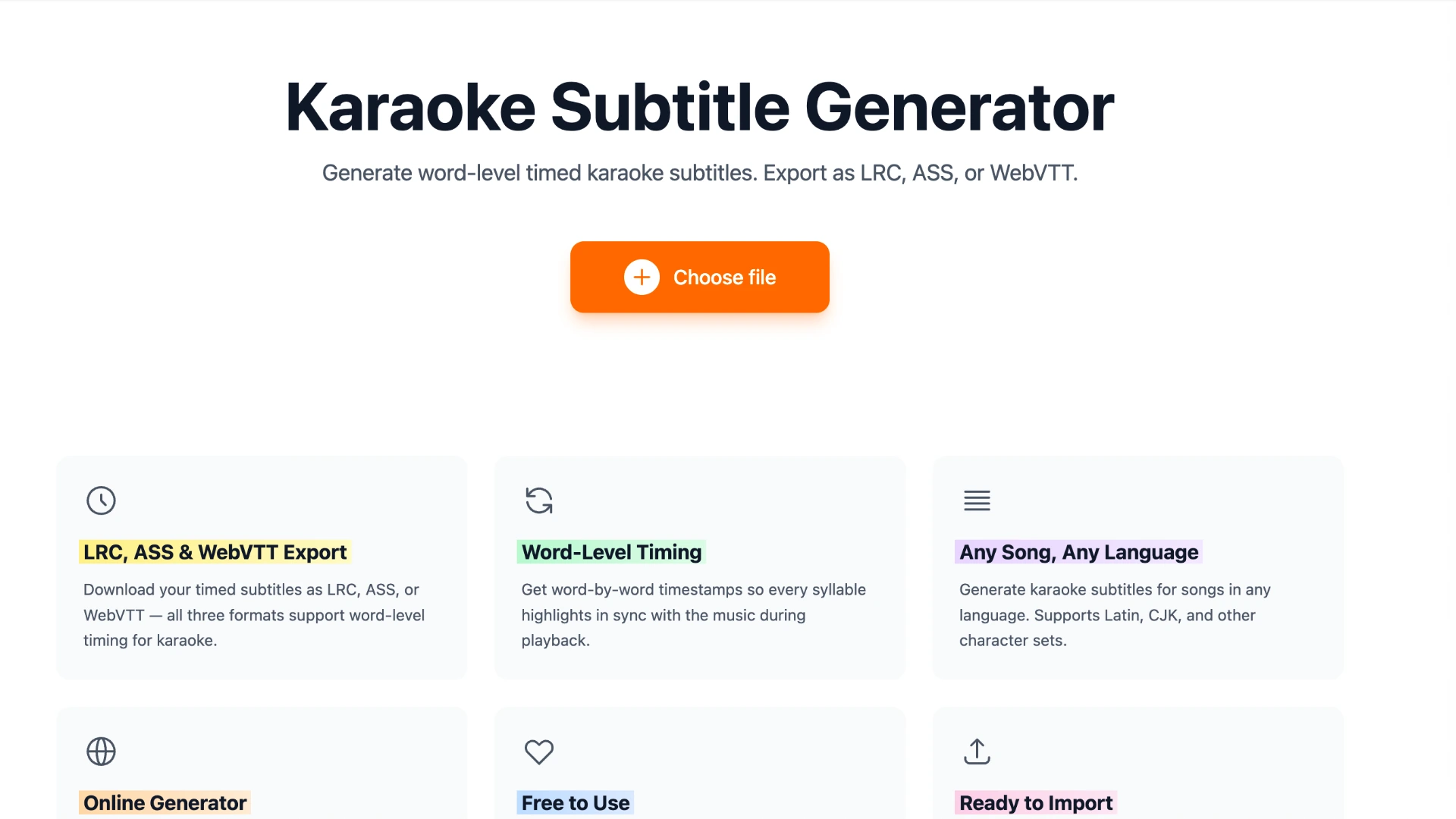
Karadeo's Karaoke Subtitle Generator lets you upload any song, paste your lyrics, and have AI align every word to the audio. Here's how:
- Go to the Subtitle Generator and upload your audio or video file.
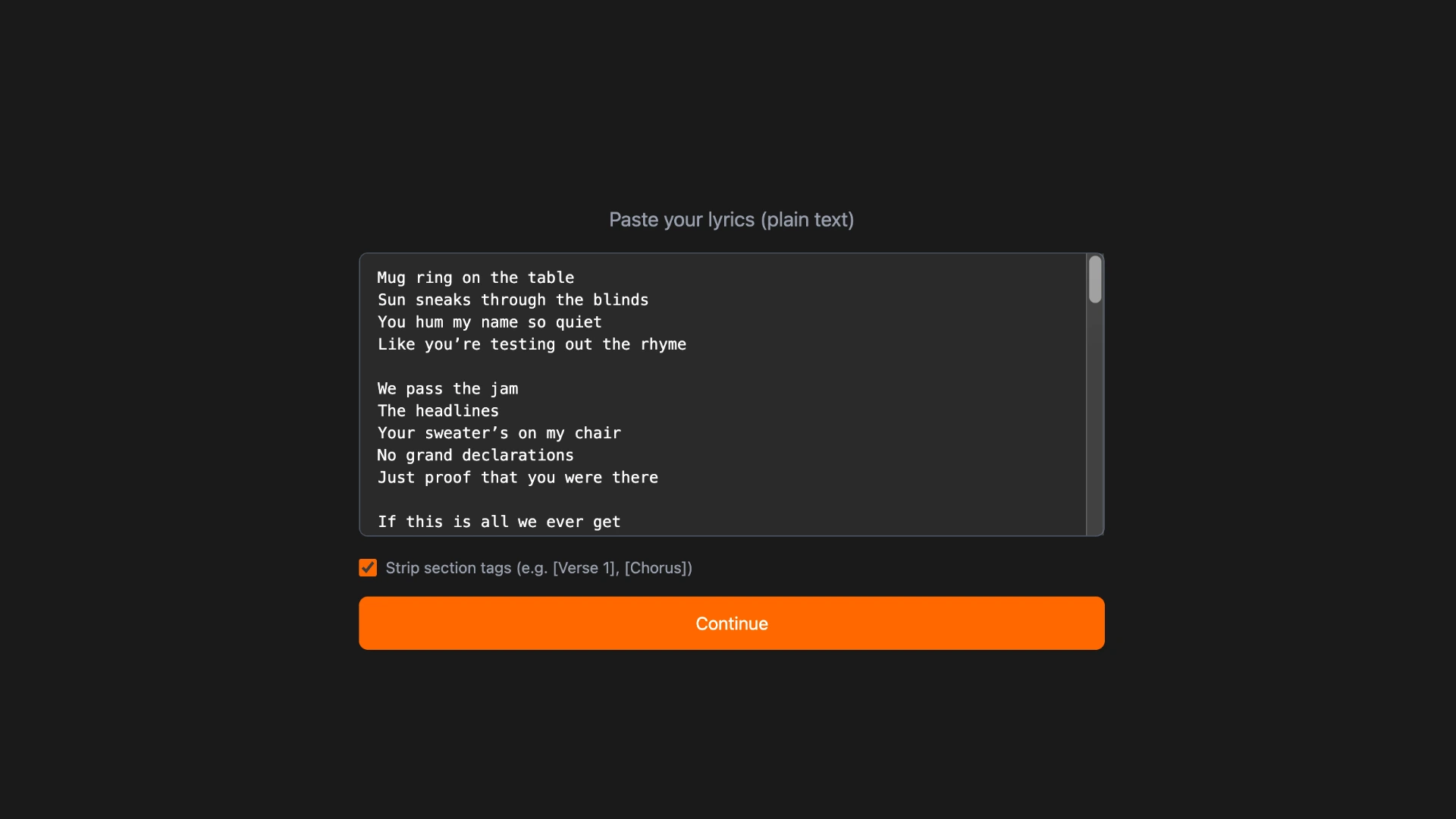
- Paste your lyrics directly or upload an existing subtitle file as a starting point.
- Run AI sync. The AI analyzes the audio and timestamps each word automatically.
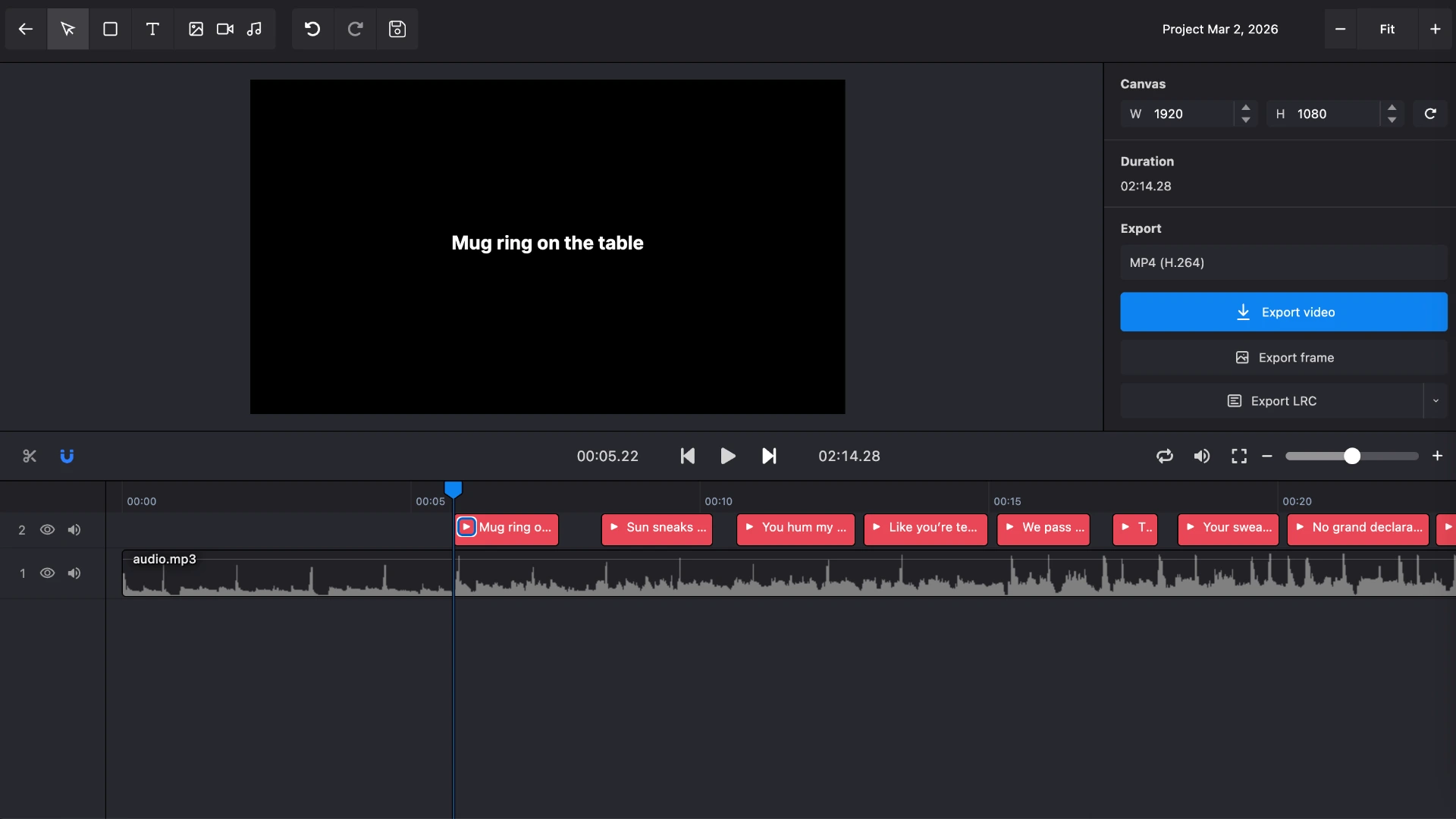
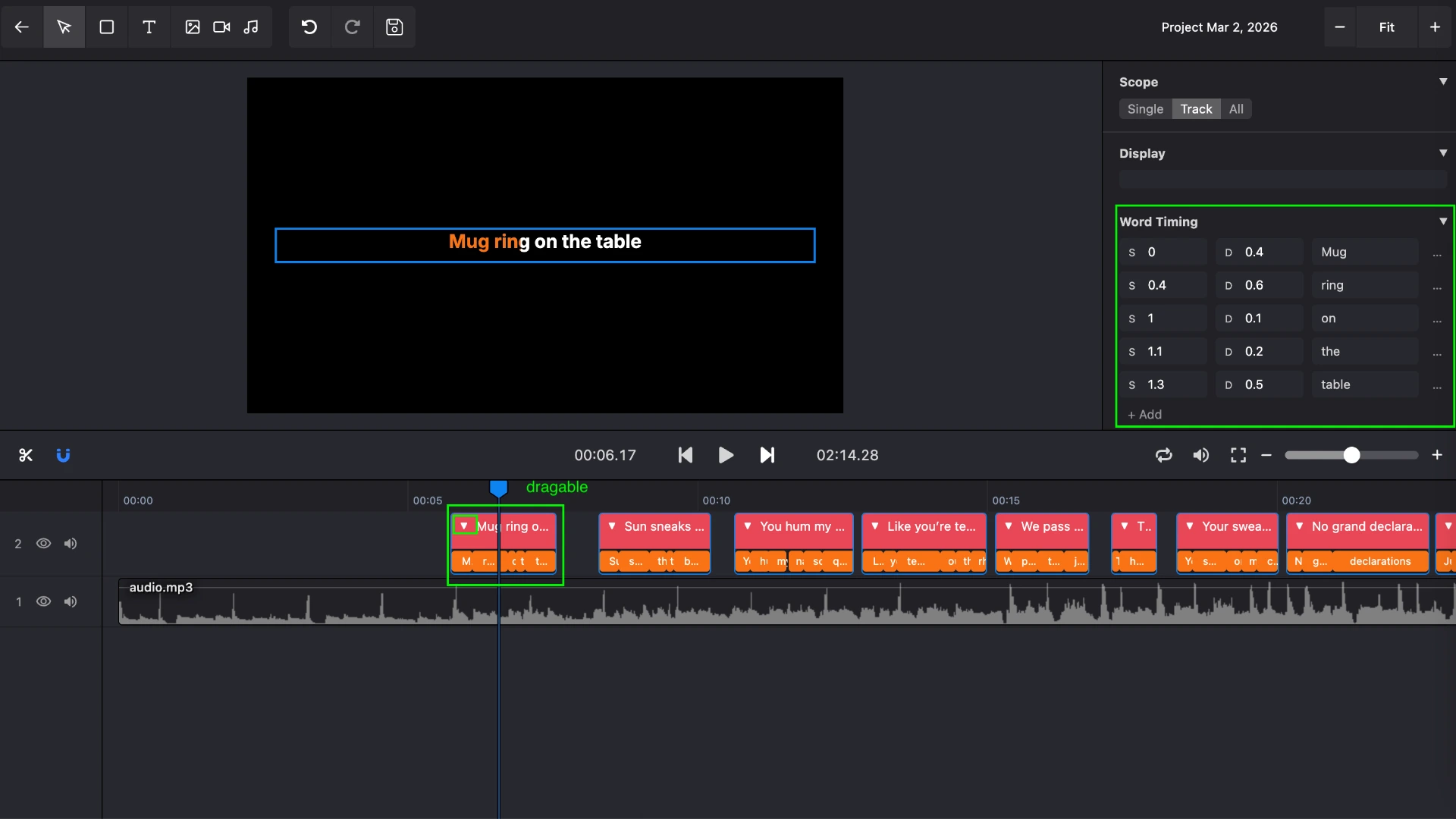
- Review and adjust using the built-in editor to fine-tune any words that didn't align perfectly. There are three ways to do this:
- Drag the start and end handles of a lyrics block on the timeline to adjust line-level timing.
- Click the arrow button on a lyrics block to expand it into individual word tracks, then drag each word's start and end handles to set precise word-level timing.
- Select a lyrics block to open the lyrics inspector, where you can edit each word's timing directly by entering values.
- Export your file as LRC, WebVTT, or ASS with one click.
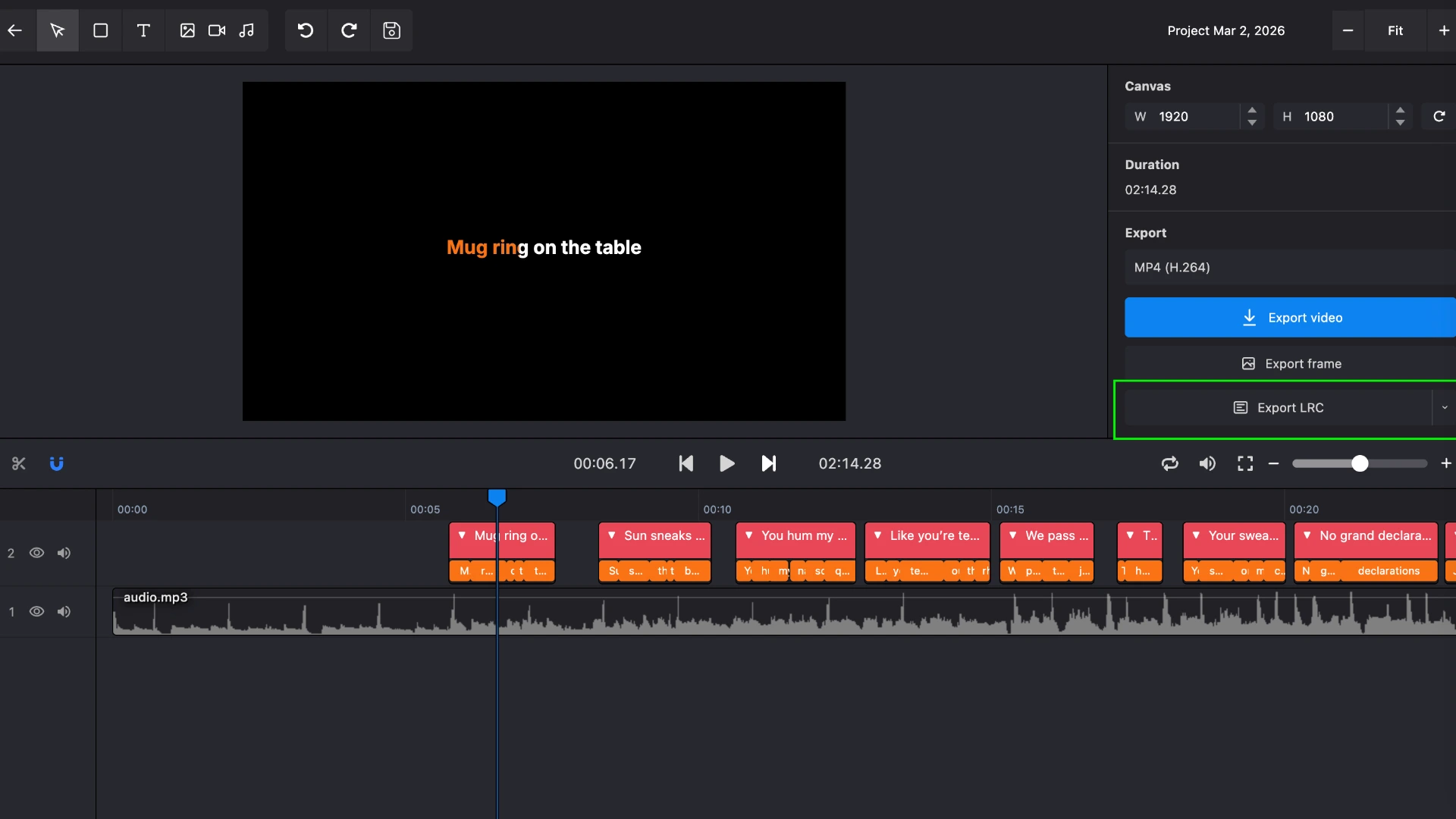
The result is a word-timed subtitle file ready to use in any karaoke workflow.
Frequently asked questions
Can I use a subtitle file to make a karaoke video?
Yes. Import your LRC, WebVTT, or ASS file into the Karaoke Video Editor on Karadeo to create a styled karaoke video with animated word-by-word highlighting.
Which format should I use if I want accurate last-word timing without manual work?
WebVTT. Unlike LRC, it stores both line-level end times and word-level start times, so the last word in every line always highlights for the correct duration automatically.
Do I need to sync lyrics manually?
No. Karadeo's Subtitle Generator uses AI to align every word to the audio automatically with 95%+ accuracy. You only need to make minor adjustments for tricky sections.
Conclusion
LRC, WebVTT, and ASS all support word-level timestamps, but they each make different trade-offs. LRC is the most compatible and the easiest to work with, but the missing end timestamp on the last word means some manual cleanup. ASS gives you the most styling control, but tooling support is thin. WebVTT hits the middle ground: accurate timing out of the box and solid support for web and video workflows.
For most people making karaoke content today, WebVTT is worth the switch from LRC if timing accuracy matters to you. If you just need something that works everywhere with minimal friction, LRC is still the safe default.
Found this helpful? Share it with others!