Karadeo Lyrics API: Get Timed Lyrics for Any Song
Most lyrics APIs look up songs by title and artist and return static text from a database. That falls apart the moment you are working with unreleased tracks, demos, covers, remixes, or any audio that is not in a catalog. The Karadeo Transcribe API takes a different approach: you give it the audio, and it produces timed lyrics directly from what it hears.

 Westin Tanley
Apr 28 · 5 min
Westin Tanley
Apr 28 · 5 min
Why Get Lyrics from Audio, Not a Database
Traditional lyrics APIs work by matching a song title and artist name to a record in a database. You get back plain text — no timestamps, no word timing, and nothing at all if the song is not in the catalog.
That model breaks for a large share of real-world use cases:
- Unreleased songs have no catalog entry yet
- Covers and remixes differ from the original lyrics
- Demos, voice memos, and field recordings have never been indexed
- Non-English and regional music is poorly covered by English-first databases
- Even well-known songs return the wrong version if the artist has re-recorded them
The Karadeo API does not look anything up. It listens to the audio you provide, transcribes what is being sung, and attaches a timestamp to every word. The result is timed lyrics that match your specific recording, not a generic database entry.
Here is what a response looks like. Send one audio URL, get back a ready-to-use LRC file:
curl -X POST https://karadeo.com/api/transcribe \
  -H "Authorization: Bearer kd_..." \
  -H "Content-Type: application/json" \
  -d '{ "fileUrl": "https://example.com/song.mp3", "format": "lrc" }'
[00:03.10] You were the shadow to my light
[00:06.44] Did you feel us
[00:08.15] Another start
What Makes This API Different
Most lyrics APIs return static text matched to a title and artist. They have no timestamps, no word timing, and nothing for audio that is not in their catalog.
The Karadeo API works the other way around. It does not need a song title or artist name. It does not look anything up. You send audio, it returns timed lyrics derived from that specific recording. That means it works on unreleased songs, covers, remixes, demos, and any recording in any language. Not just what is already indexed.
The output comes back with timestamps attached, including word-level timing for karaoke-style highlighting.
The default LRC output is standard LRC — one timestamp per line. Each line appears on screen all at once when its timestamp is reached:
[00:14.32] Never gonna give you up
[00:17.80] Never gonna let you down
When you set isWordLevel: true, the API returns enhanced LRC instead. It embeds an inline timestamp before each individual word, so players can highlight one word at a time as the song progresses:
[00:14.32] <00:14.32>Never <00:14.91>gonna <00:15.30>give <00:15.72>you <00:16.10>up
[00:17.80] <00:17.80>Never <00:18.39>gonna <00:18.78>let <00:19.20>you <00:19.58>down
If you only need the lyrics text without any timestamps, set format to txt and the API returns plain lines:
Never gonna give you up
Never gonna let you down
The two modes cover the full range of situations. Auto-transcribe generates lyrics from scratch with no text input needed. Force-align takes lyrics you already have and stamps each word with its exact position in the audio. Use this when you have correct lyrics but need the timing. For a deeper look at how word-level and line-level timing differ, see Word-Level vs Line-Level Timing.
How to Use the API
Step 1: Create an API Key
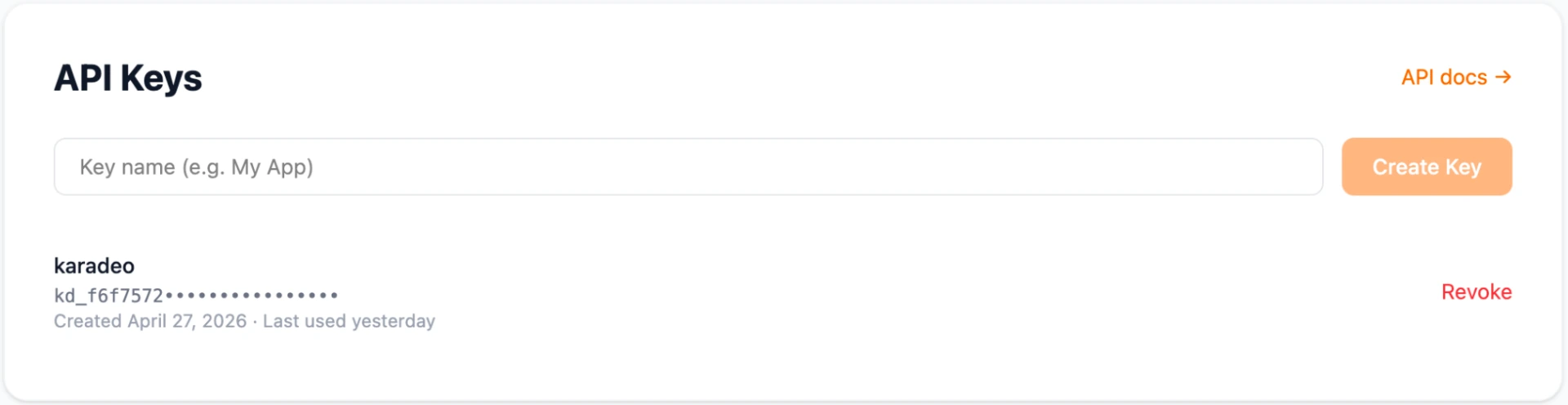
Go to your Karadeo dashboard and create a new API key. Keys start with kd_. Keep it private: it goes in the Authorization header of every request.
Free accounts include 10 minutes of audio per month. Subscribed accounts get 500 minutes per month or 6,000 minutes per year. Credit cost is rounded up to the nearest minute per request.
Step 2: Test on the API Docs Page
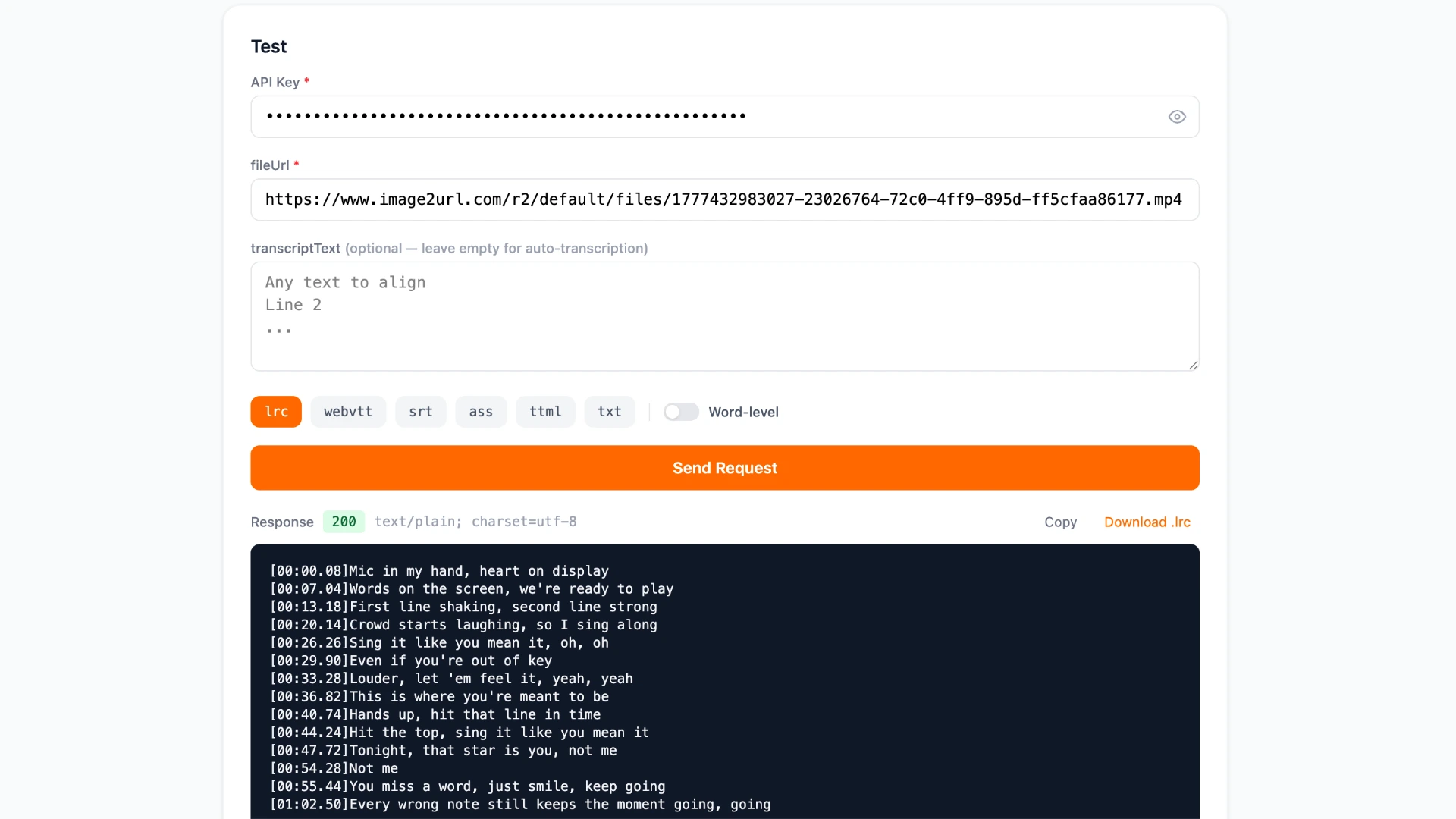
Before writing any code, use the live test panel at karadeo.com/api/transcribe/doc to try a real request in the browser:
- Paste your API key into the API Key field
- Enter a publicly accessible audio URL into fileUrl
- Optionally paste lyrics into transcriptText to use force-align mode
- Pick an output format (
lrc,webvtt,srt, etc.) - Toggle Word-level on if you want per-word timestamps
- Click Send Request
The response body appears directly in the panel. You can copy it or download it as a file. This is the fastest way to confirm your key works and see exactly what the output looks like before integrating.
Step 3: Make an API Call
The endpoint is a single POST to https://karadeo.com/api/transcribe. Send Content-Type: application/json and your Authorization: Bearer kd_... header with every request.
The body takes four fields. fileUrl is required: a publicly accessible URL to your audio or video file. transcriptText is optional; provide it to use force-align mode instead of auto speech-to-text. isWordLevel is a boolean that defaults to false; set it to true to get per-word timestamps. format defaults to lrc and accepts lrc, webvtt, srt, ass, ttml, or txt.
Auto-transcribe — no lyrics needed:
curl -X POST https://karadeo.com/api/transcribe \
  -H "Authorization: Bearer kd_..." \
  -H "Content-Type: application/json" \
  -d '{ "fileUrl": "https://example.com/song.mp3" }'
Force-align your own lyrics with word-level timestamps:
curl -X POST https://karadeo.com/api/transcribe \
  -H "Authorization: Bearer kd_..." \
  -H "Content-Type: application/json" \
  -d '{
    "fileUrl": "https://example.com/song.mp3",
    "transcriptText": "Line one of the song\nLine two of the song",
    "isWordLevel": true,
    "format": "lrc"
  }'
Python:
import requests

response = requests.post(
    "https://karadeo.com/api/transcribe",
    headers={
        "Authorization": "Bearer kd_...",
        "Content-Type": "application/json",
    },
    json={
        "fileUrl": "https://example.com/song.mp3",
        "isWordLevel": True,
        "format": "lrc",
    },
)

with open("output.lrc", "w") as f:
    f.write(response.text)
A 200 response returns the subtitle file content as plain text. Save it with the matching extension (.lrc, .vtt, .srt, etc.) and it is ready to use in any compatible player or editor. To build lyrics videos from your output, import the .lrc file directly into the Karaoke Video Editor.
Frequently Asked Questions
Do I need to know the song title or artist?
No. The API works directly from your audio file. It transcribes or aligns from the audio itself, with no metadata or database lookup required.
What is the difference between auto-transcribe and force-align?
Auto-transcribe generates lyrics from scratch using speech recognition with no text needed. Force-align takes your existing lyrics and matches each word to its exact timestamp in the audio. Force-align is more accurate when you already have the correct text.
Which output format should I use?
Use LRC for karaoke players and lyrics video editors. Use WebVTT for web video players. Use SRT for video editors like Premiere or DaVinci Resolve. For a full comparison of formats, see Karaoke Lyrics File Formats.
Conclusion
Getting timed lyrics no longer requires a catalog lookup or manual timestamping. Send your audio file, get back a ready-to-use LRC or subtitle file in seconds. Whether you are building a karaoke app, generating captions, or syncing lyrics to an unreleased track, the API handles it with a single request.
Get your API key from the Karadeo dashboard, try a request on the API docs page, and import the output directly into the Karaoke Video Editor to turn it into a finished video.
Found this helpful? Share it with others!