How to Make Alex Hormozi Captions
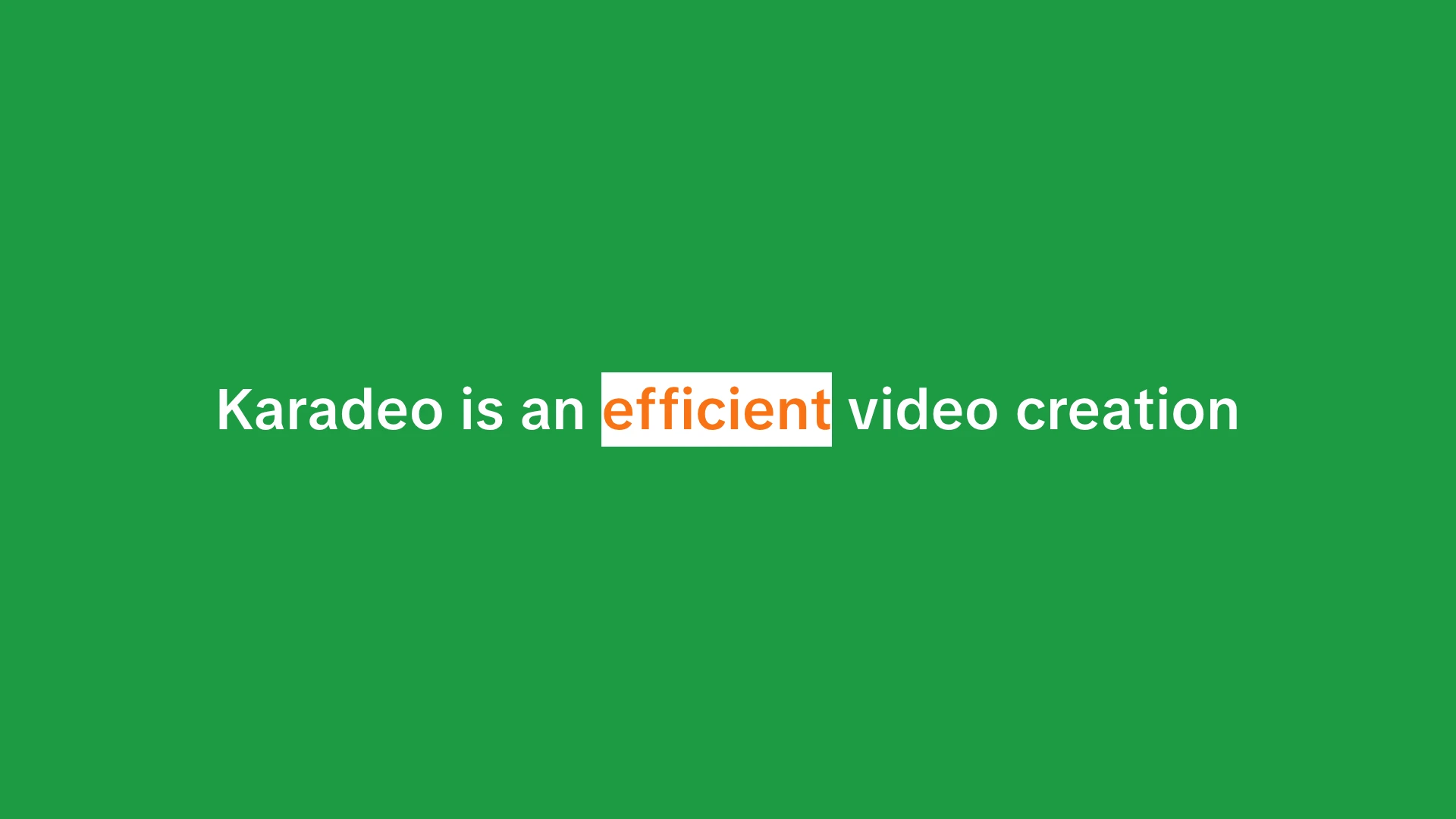
If you have spent any time on TikTok or Instagram Reels, you have seen them. Bold, punchy animated captions where each word lights up as it is spoken, keeping you locked in even with the sound off. That style was popularized by Alex Hormozi, and creators across every niche now use these word-by-word captions to boost retention and engagement on short-form video.
 Westin Tanley
Mar 11 · 5 min
Westin Tanley
Mar 11 · 5 min
What are Alex Hormozi Captions?
Alex Hormozi captions are bold, word-by-word animated captions where each word highlights as it is spoken, like a karaoke-style caption applied to speech instead of song lyrics. The highlight text effect keeps the viewer's eye moving, which holds attention longer than static subtitles.
Most social media video is watched without sound. Word-by-word captions solve that, and because each highlight creates motion on screen, they retain viewers who do have sound on too. Higher watch time means more distribution on TikTok, Instagram, and YouTube Shorts.
The style has spread well beyond Hormozi's channel. Tools like CapCut brought lyric animation to mobile, but Karadeo gives you the same karaoke-style captions with more control, directly in your browser.
How to Make Them with Karadeo
Karadeo's Caption Maker lets you create karaoke-style captions for free, directly in your browser. It uses the same word-by-word highlighting technique as karaoke, working with any speech or voiceover instead of song lyrics. No software to install, no account required to get started.
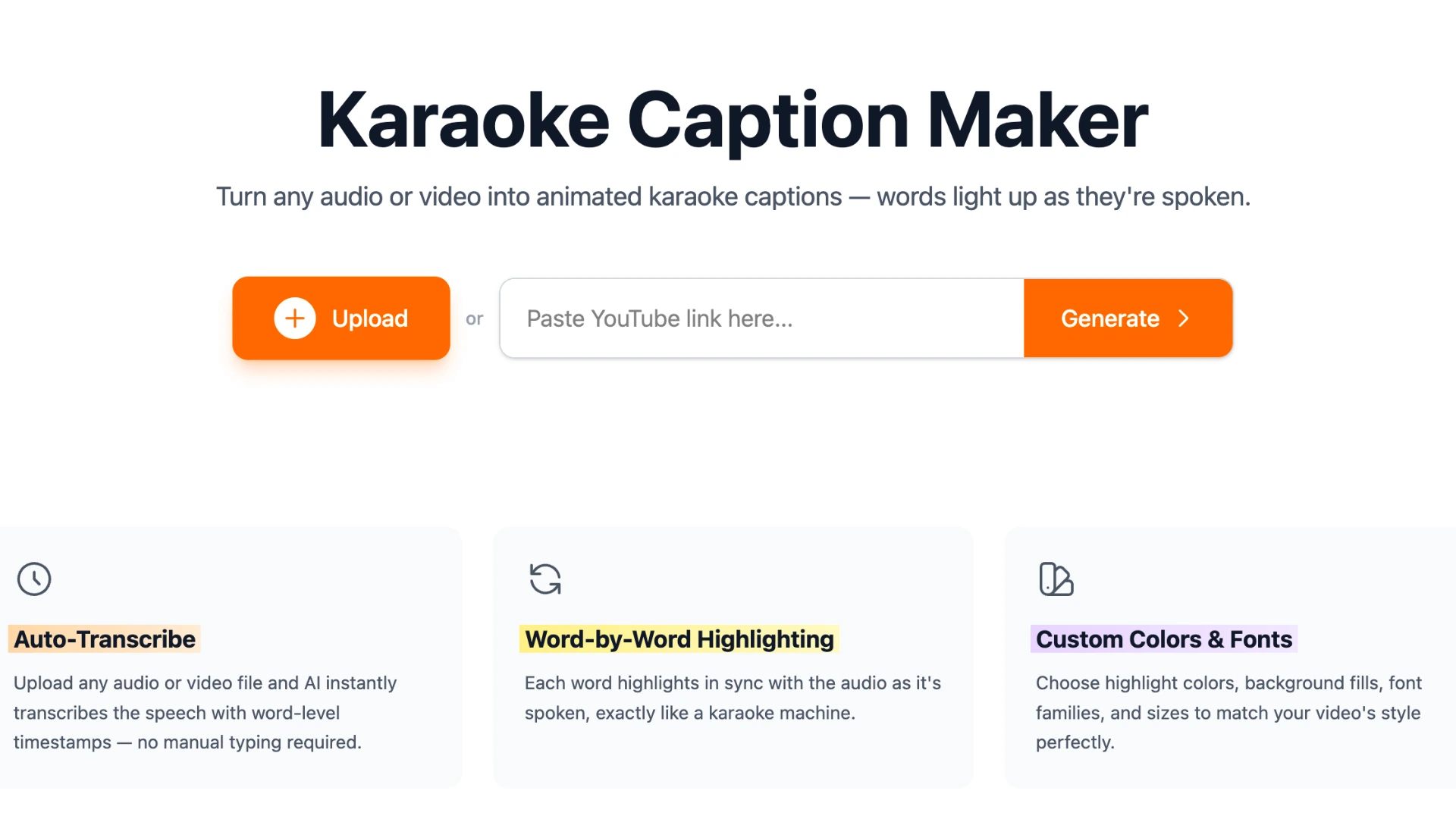
Step 1: Upload your video or audio
Go to the Caption Maker and upload your file. It accepts MP4, MOV, WebM, MP3, WAV, M4A, and most other common formats.
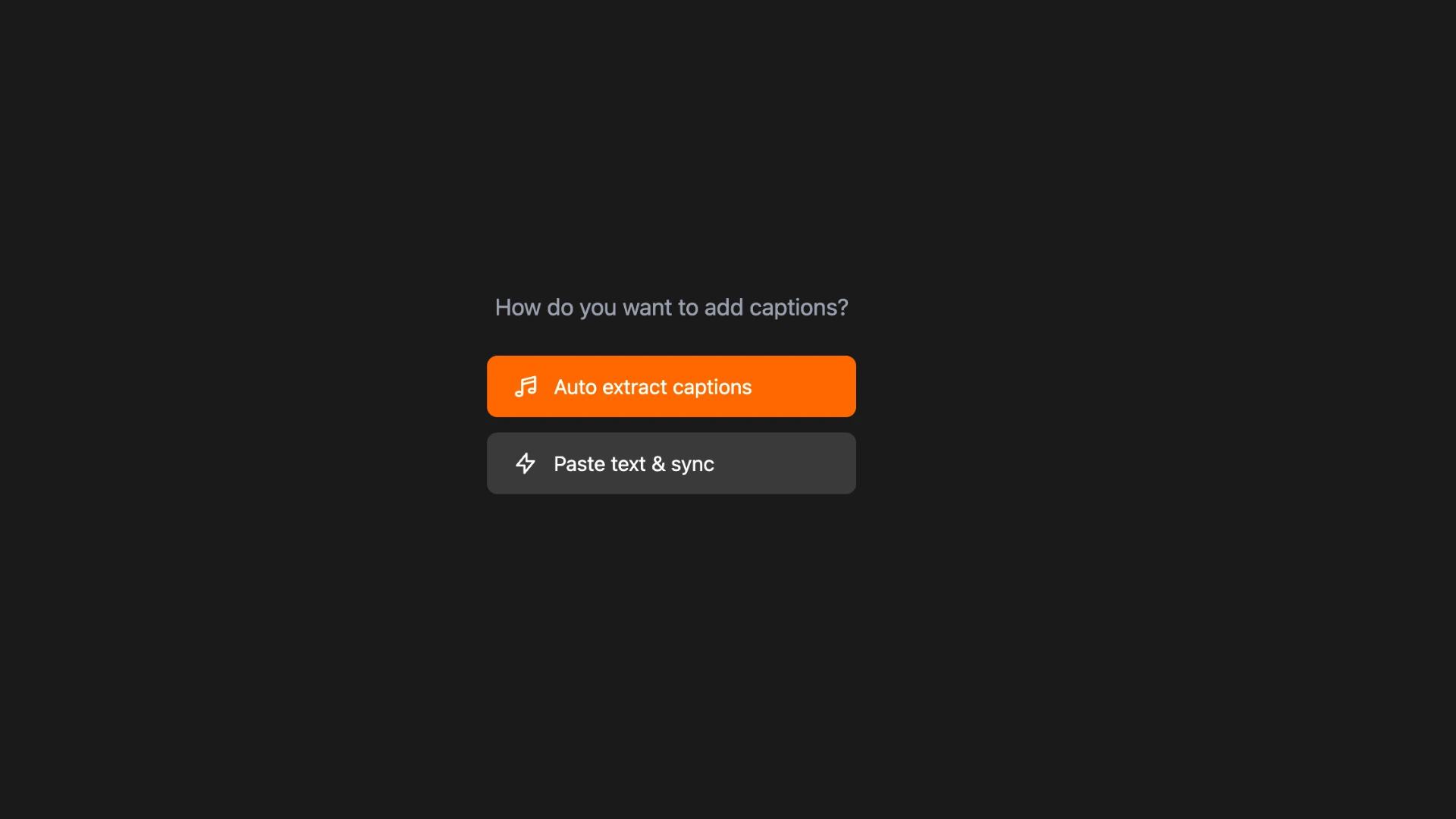
Step 2: Upload your transcript or extract from audio
Once your file is uploaded, you can either paste an existing transcript or let AI transcribe the speech automatically. The AI generates word-level timestamps so each word lines up precisely with when it is spoken. No manual syncing required.
Step 3: Style your captions
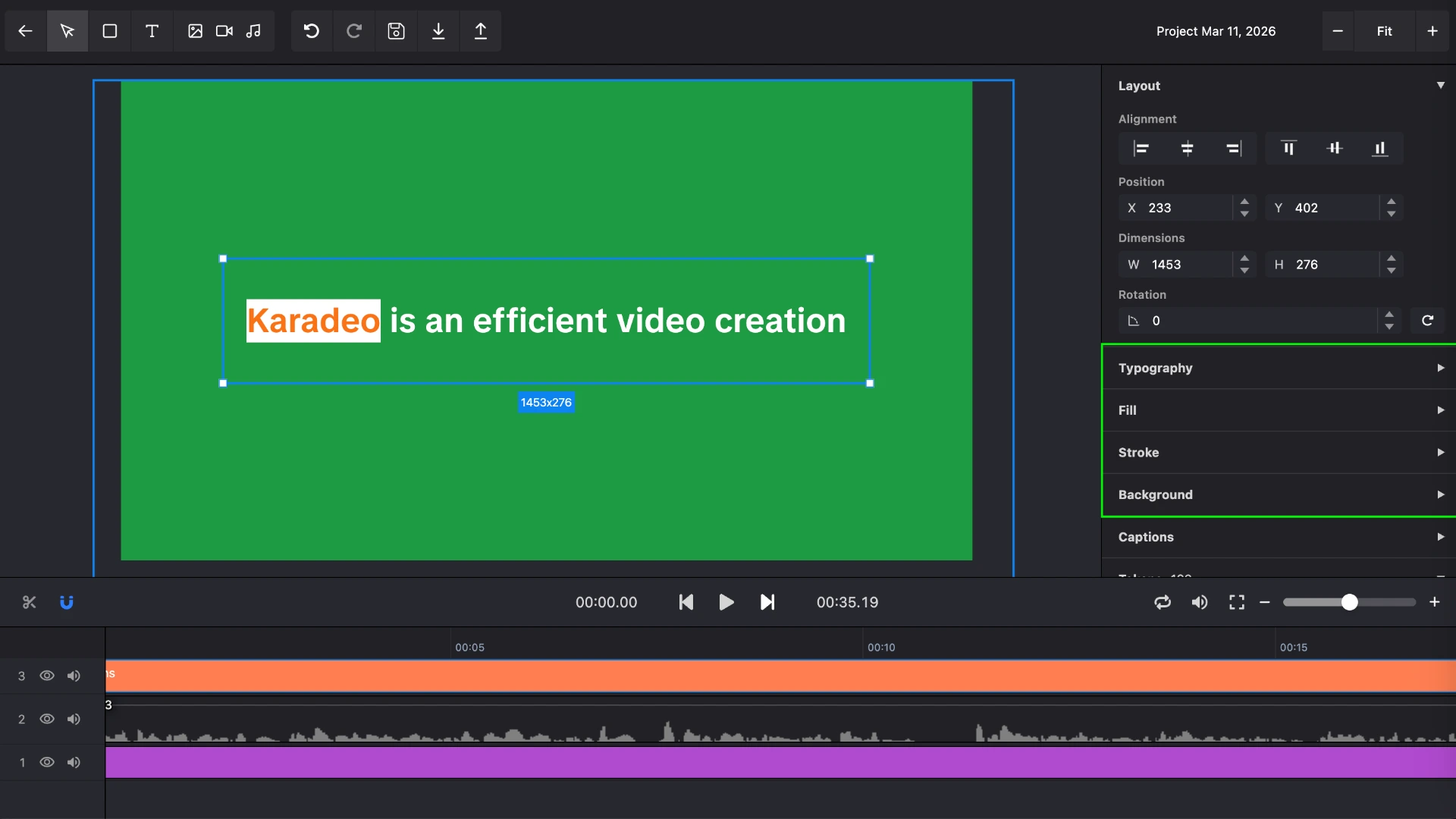
Click the caption on the preview to select it, then the styling panel opens on the right. This is where you dial in the Hormozi look. You have full control over:
- Captions: set the page duration to control how long each caption block stays on screen, and set max lines to limit how many lines display at once. Keeping max lines at 1 or 2 gives that tight, punchy look Hormozi captions are known for.
- Typography: choose a bold, heavy-weight sans-serif. The thicker the letters, the more readable at a glance on a small screen.
- Fill: set the text color for normal words and a separate highlight color for the active word. White for normal and yellow or orange for the highlight is the classic Hormozi combination.
- Background: add a fill behind normal words and a separate one behind the highlighted word. A semi-transparent dark background helps captions pop on busy footage.
- Stroke: add an outline to both normal and highlighted words for extra legibility over light or complex backgrounds.
Preview plays back your video with the captions live so you can see exactly how it will look before exporting.
Need multiple caption tracks or multiple languages?
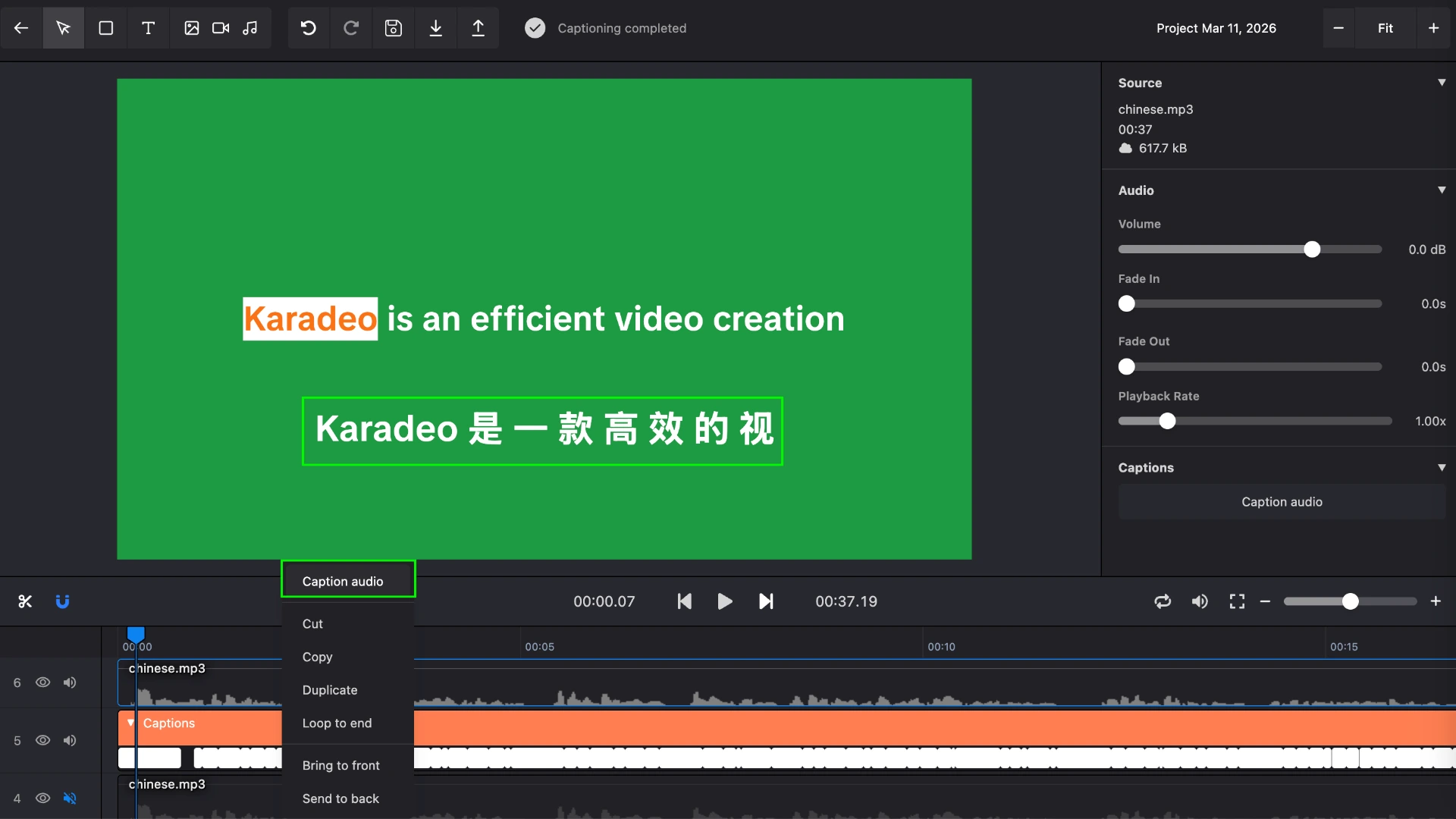
If you need more than one set of captions — for example, English and Spanish, or separate captions for different speakers — upload a new audio file to the project. Then right-click the caption track in the timeline and add another karaoke-style caption layer. Each track is styled and timed independently, so you can run two languages side by side or stack different caption styles on the same video.
Need to tweak timing or fix missing words?
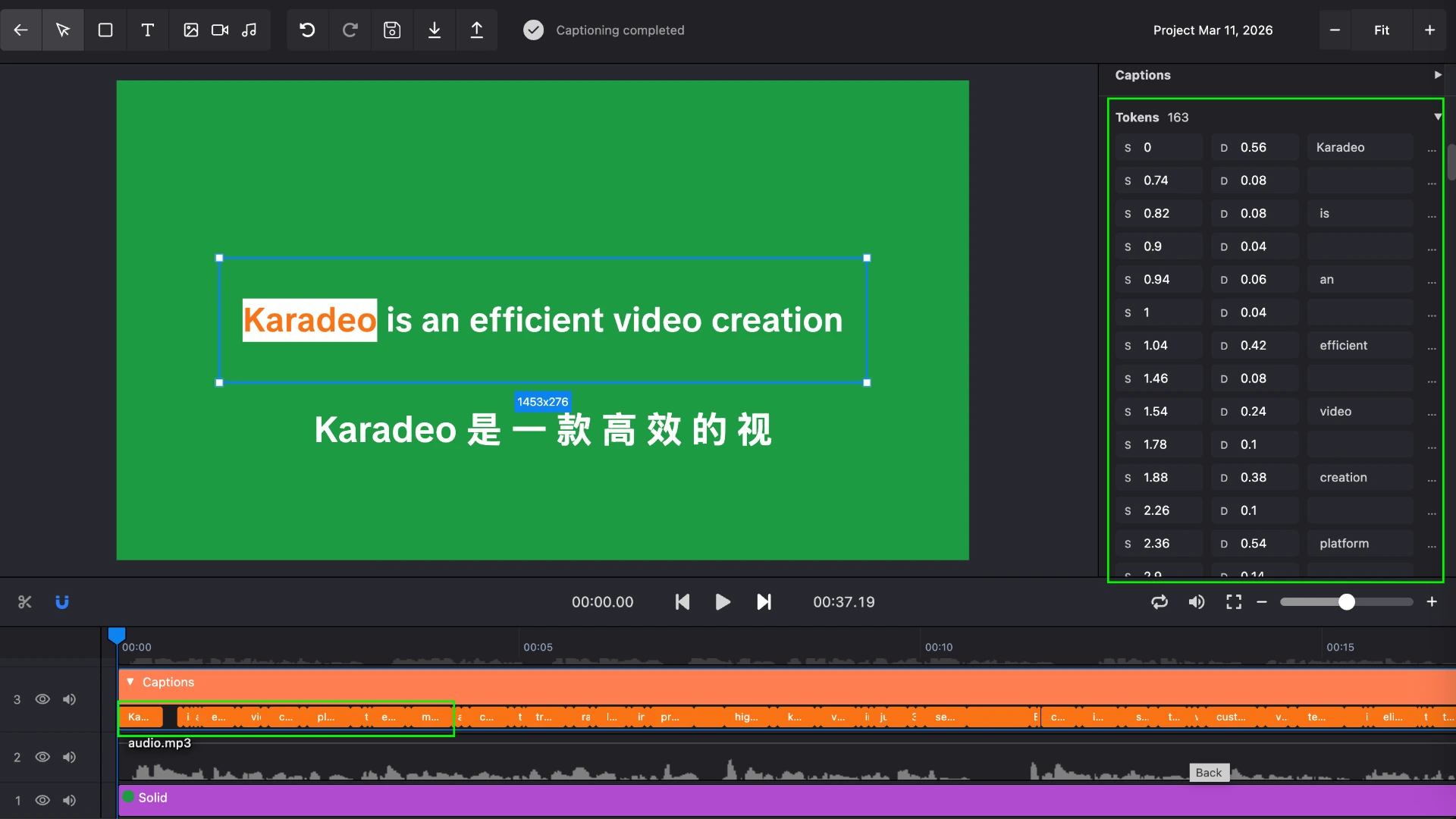
If the caption extraction missed a word or the timing is slightly off, you can use the word timing editor to fix it directly. Each word token lets you adjust the start time, duration, and text individually — so you can correct any word without redoing the whole transcription.
Step 4: Export and post
When the style is right, render the video. Karadeo exports in HD and gives you a file ready to upload to TikTok, Instagram Reels, YouTube Shorts, or anywhere else you publish. Unlike CapCut's lyric animation templates, there are no watermarks on free exports for short clips, and you keep full control over the styling.
Styling Tips to Get the Look Right
A few details separate captions that look professional from ones that look amateurish.
Keep the font size generous. On a phone screen, small text disappears. Err on the side of larger rather than smaller. The caption should be readable without the viewer needing to squint.
Center the caption block on screen. Hormozi's captions sit in the middle of the frame rather than at the bottom. This placement keeps the eye near the face of the speaker while still tracking the words.
Avoid long lines. If a sentence runs long, fewer words per line is better. Three to five words per line tends to work well for word-by-word captions because it leaves room for the highlight text effect to be clearly visible.
Match the pace of speech. The automatic transcription handles timing, but if your delivery is very fast, you may want to slow down slightly when recording. Captions that flash by too quickly lose the readability advantage that makes the format effective in the first place.
Use a solid or blurred background if your footage is busy. A talking-head video shot against a clean wall needs no background on the caption. But if your footage has a lot of movement or color variation, adding a dark semi-transparent fill behind the text block keeps it legible in every frame.
Frequently Asked Questions
What font does Alex Hormozi use for captions?
Hormozi typically uses a bold, heavy-weight sans-serif font with high contrast text: white letters with a colored highlight on the active word. The exact font varies but the key is boldness and readability at a glance.
Can I make Hormozi style captions for free?
Yes. Karadeo's Caption Maker is free to use in your browser. Upload your video, and AI generates word-by-word captions automatically with no downloads or design skills needed.
What if the timing is off or some words are missing?
If the caption extraction missed a word or the timing needs adjusting, you can use the word timing editor to fix it directly. Each word token lets you update the start time, duration, and text individually — so you can correct any word without redoing the whole transcription.
What is the difference between Hormozi captions and regular subtitles?
Regular subtitles display full lines of text at once. Hormozi style captions are karaoke-style captions that highlight one word at a time as it is spoken, creating a more dynamic, engaging effect that keeps viewers watching.
Conclusion
Word-by-word animated captions with a highlight text effect are one of the highest-leverage changes you can make to a talking-head or voiceover video. They make your content accessible to silent viewers, keep everyone else engaged, and give your video the polished, intentional look that Alex Hormozi captions are known for on TikTok and Reels. CapCut's lyric animation feature brought this style to the mainstream, but Karadeo gives you the same result with more customization and no app required.
Found this helpful? Share it with others!